WebP vs JPG vs PNG vs AVIF: Which Image Format Should You Use in 2026?
Picking the wrong image format can easily double your page weight — or halve it. Here is how JPG, PNG, WebP and AVIF actually compare in 2026, with real file-size numbers, so you can choose the right format for every image on your site.
The short answer
| Format | Best for | Typical size vs JPG | Transparency |
|---|---|---|---|
| JPG | Photos where compatibility matters most | Baseline (100%) | No |
| PNG | Logos, graphics, screenshots | 200–500% (much larger) | Yes |
| WebP | Photos and graphics on the modern web | ~65–75% | Yes |
| AVIF | Maximum compression for photos | ~50% | Yes |
If you remember one thing: use WebP as your default, AVIF for hero images and photography where every kilobyte counts, PNG only for crisp graphics with transparency, and JPG when you need maximum compatibility (email clients, old software).
JPG: the old reliable
JPG (or JPEG) has been the web’s photo format for 30 years. It uses lossy compression tuned for photographs, it opens everywhere — every browser, every phone, every email client ever made — and every tool on earth can save one.
Its weakness is efficiency. A format designed in 1992 simply cannot match modern codecs. For the same visual quality, a JPG is typically 30–50% larger than WebP and around twice the size of AVIF. If your site is still serving JPGs to modern browsers, you are leaving free performance on the table.
PNG: for graphics, not photos
PNG is lossless, which makes it perfect for logos, icons, screenshots and graphics with sharp edges or text — anywhere JPG’s compression smudges would show. It also supports full transparency.
But never use PNG for photographs: a photo saved as PNG can be 5–10x larger than the same photo as JPG, with zero visible benefit. One of the most common page-speed mistakes we see is photographic hero images saved as PNG.
WebP: the modern default
Developed by Google, WebP does everything JPG and PNG do — lossy photos, lossless graphics, transparency, even animation — at dramatically smaller file sizes. Typical savings are 25–35% over JPG at the same quality, and far more over PNG.
Browser support is effectively universal now: Chrome, Edge, Firefox, Safari (14+), and all modern mobile browsers display WebP. Unless you need to support truly ancient software, there is no reason not to make WebP your default raster format in 2026.
AVIF: the new compression king
AVIF (based on the AV1 video codec) is the newest of the four and compresses better than all of them — typically ~50% smaller than JPG and ~20% smaller than WebP at the same visual quality. It handles transparency, HDR and wide color gamut too.
The catch: encoding is slower, and support — while good in all current browsers — is thinner in older software and some social/email pipelines. Our recommendation: serve AVIF with a WebP fallback for your most important images (hero banners, product photos), and plain WebP everywhere else.
Real file-size comparison
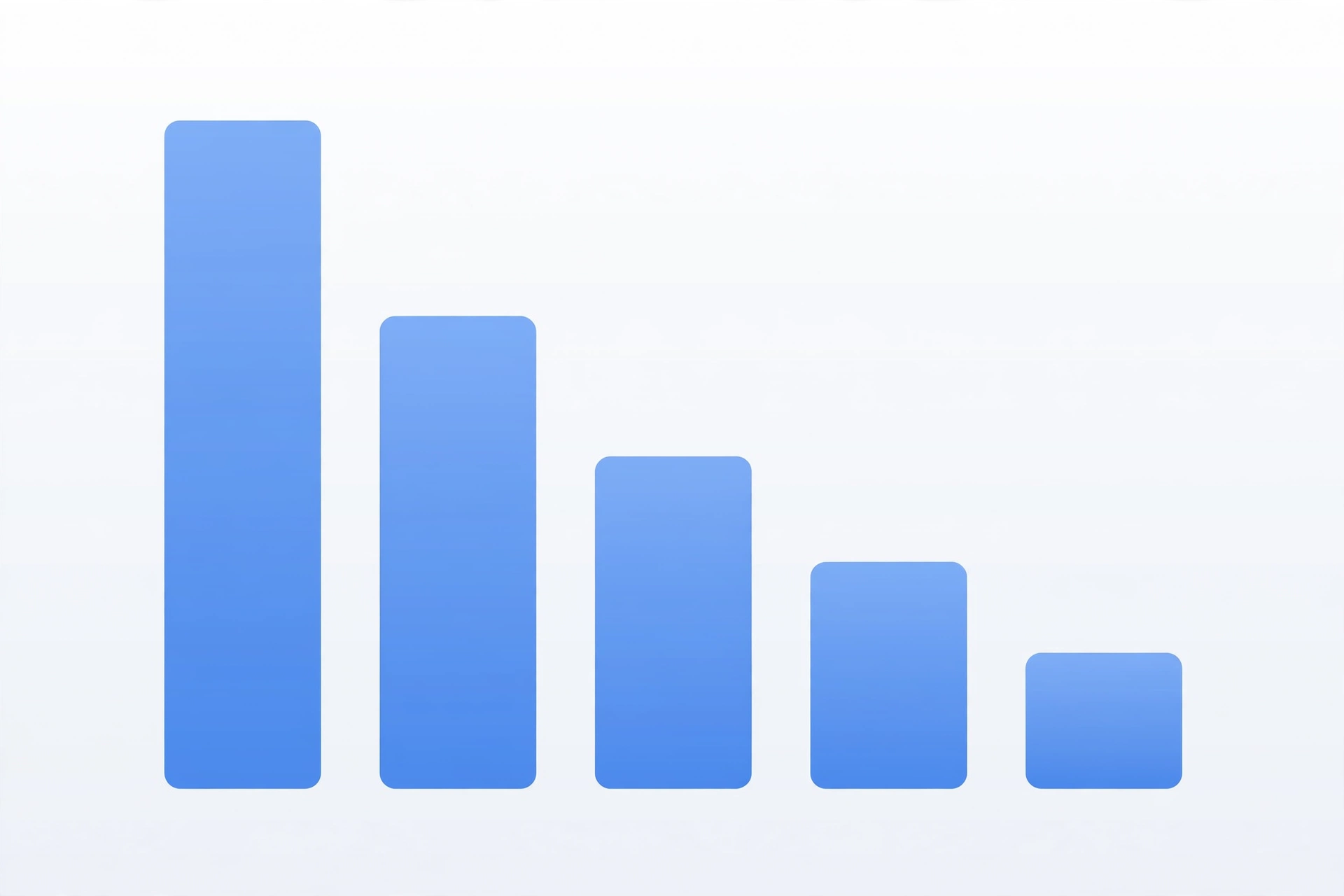
Take a typical 1600px photograph. Exported at visually equivalent quality, you will see roughly:
- PNG: ~4.5 MB (don’t do this)
- JPG (quality 80): ~380 KB
- WebP (quality 80): ~250 KB — 34% smaller than JPG
- AVIF (quality 60): ~185 KB — 51% smaller than JPG
Exact numbers vary by image, but the ranking almost never changes: AVIF < WebP < JPG << PNG for photographs.
Browser support in 2026
- JPG / PNG: everything, forever.
- WebP: all modern browsers since ~2020, including Safari 14+. Safe to use outright.
- AVIF: Chrome, Edge, Firefox, Safari 16+, Opera, and current iOS/Android. Fine for web use; keep a WebP fallback for email and older apps.
Which format should you use? A decision guide
- Website photos and blog images → WebP. Best balance of size, quality and compatibility.
- Hero images and portfolios where quality is everything → AVIF (with WebP fallback).
- Logos, icons, UI graphics with transparency → WebP lossless or PNG if you need universal support.
- Screenshots with text → PNG or WebP lossless (lossy formats blur small text).
- Email attachments or uploads to old systems → JPG, the lowest common denominator.
How to convert between formats free
You don’t need Photoshop to switch formats. Our free image converter turns JPG, PNG, WebP, AVIF, GIF and BMP into each other in seconds — no signup, files auto-deleted within an hour. Popular one-click pages:
- JPG to WebP — the single highest-impact switch for most sites
- PNG to WebP — shrink oversized graphics
- Image to AVIF — maximum compression
- WebP to JPG — when you need compatibility back
And if your images are already in the right format but still heavy, run them through our image compressor first.
Frequently asked questions
Is WebP better than JPG?
For web use, yes — WebP delivers the same visual quality at roughly two-thirds the file size, with transparency support JPG lacks. The only reason to prefer JPG is compatibility with very old software.
Is AVIF better than WebP?
AVIF compresses about 20% better than WebP at the same quality, but encodes slower and has slightly narrower support. Use AVIF for maximum savings, WebP as the safe default.
Should I still use PNG?
Yes, but only for what it’s good at: logos, icons, screenshots and graphics needing lossless quality or transparency. Never for photographs.
Will converting JPG to WebP reduce quality?
Any lossy-to-lossy conversion loses a tiny amount of data, but at sensible quality settings the difference is invisible. Converting once, at the start of your workflow, is the right approach — don’t re-convert repeatedly.